

Professional services are always in high demand across different markets. Among the most common and widely present professionals are accountants, lawyers and surveyors, each with different roles but sharing a constant need for tools, services and consulting solutions.
This is why many companies are constantly looking for email addresses and contact details of accountants, lawyers and surveyors, in order to promote their services through email marketing, telemarketing or targeted business campaigns.
On online directories such as Yellow Pages, you can find extensive lists of these professionals, organized by city or region, and even perform searches nationwide.
The main problem is that collecting these contacts manually would take an enormous amount of time. To simplify this process, you can use automated tools designed to extract contact data quickly and efficiently.
Solution: Yellow Leads Extractor
Yellow Leads Extractor is a powerful software that allows you to automatically collect business contacts from Yellow Pages and similar directories.
With this tool, you can extract not only email addresses but also other useful data such as phone numbers, fax numbers, physical addresses and website URLs.
Once collected, all data can be saved in a CSV file, which can be easily opened and managed in Excel.
This makes the software ideal both for quickly browsing information related to accountants, lawyers, surveyors, engineers, architects and other professionals, and for organizing data for marketing purposes such as email campaigns, telemarketing or lead generation.
Download the free demo version of Yellow Leads Extractor to see how it works:

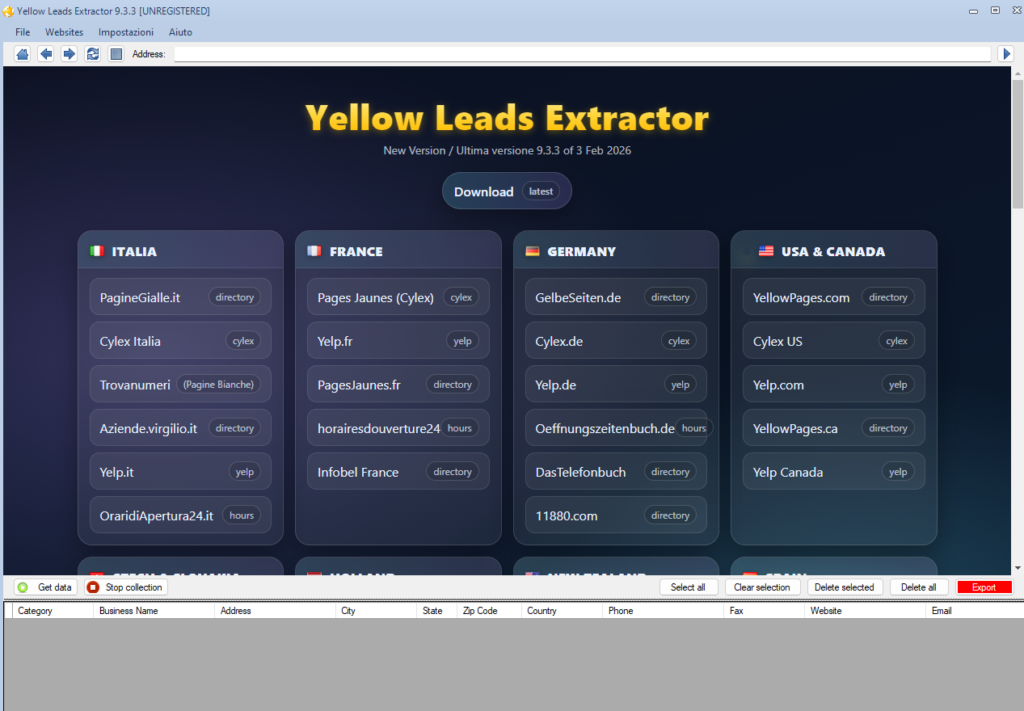
Main software screen
When you start the program, you will see a screen similar to the one below:
Select your preferred source, such as Yellow Pages, and the search interface will open:
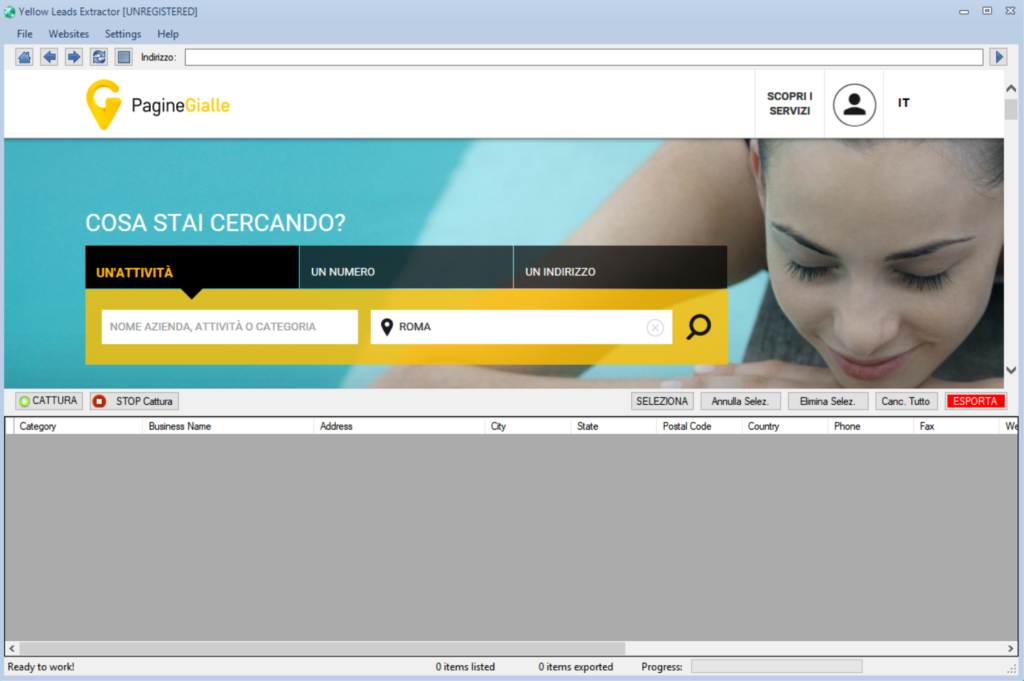
How to extract data in 3 simple steps
1. Enter category and location
Type the category you are looking for, such as “Accountants”, “Lawyers” or “Surveyors”, and enter a location. If you leave the location field empty, the search will be performed nationwide.
2. Start the search
Click the search button and wait for the first results page to load.
3. Click on Capture
Click the Capture button at the top, and the software will automatically start extracting all available data. The results will be displayed in the lower section of the window.
Note: the demo version allows you to view the first 35 results, and the export feature is disabled. To unlock all features, you need to purchase the full version.
Recommended related searches
In addition to the main keywords such as accountants, lawyers and surveyors, you can refine your search using related keywords such as:
law firms, legal consultants, accounting firms, tax consultants, bookkeeping services, business consulting, payroll services, auditors, financial advisors, notary offices, administrative consulting, fiscal and tax consulting