
Social Email Extractor is a professional software designed to scan LINKEDIN, FACEBOOK and INSTAGRAM in order to find email addresses of users and companies across the most popular social networks.
Today, social networks represent one of the largest sources of data: Facebook is the most widely used platform globally, LinkedIn is the leading professional network, while Instagram continues to grow rapidly, especially among brands and businesses.
With Social Email Extractor, you can leverage these platforms to generate targeted leads and build powerful databases for marketing and business development.
Why use Social Email Extractor?
Manually collecting contacts from social networks is time-consuming and inefficient. This software fully automates the process, allowing you to:
- Save hours of manual work
- Get targeted and filtered contacts
- Create email lists for marketing campaigns
- Quickly build a large contact database
It is the ideal tool for lead generation, email marketing, B2B sales and professional networking.
How the software works
Social Email Extractor is extremely easy to use: simply enter one or more keywords, choose the social network (LinkedIn, Facebook, Instagram or Twitter), start the search and begin extracting data.
To get more accurate results, you can apply several filters such as:
- country or nationality
- city or location
- job title (e.g. Manager, CEO, Consultant)
- company name
- additional keywords
This allows you to obtain highly targeted contacts based on your specific audience.
---
Step-by-step guide
Below is a detailed guide to help you get the most out of this powerful “Social Network Spider”.
Download and install Social Email Extractor on your Windows PC

---
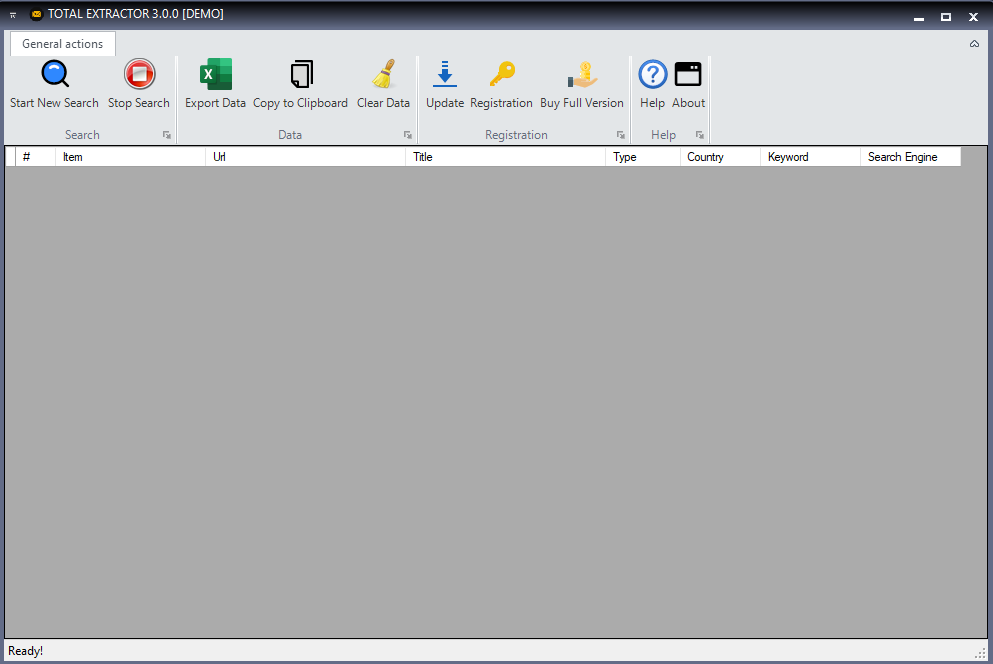
STEP 1. Launch the software
Install the program and start it. You will see the main interface as shown below:
---
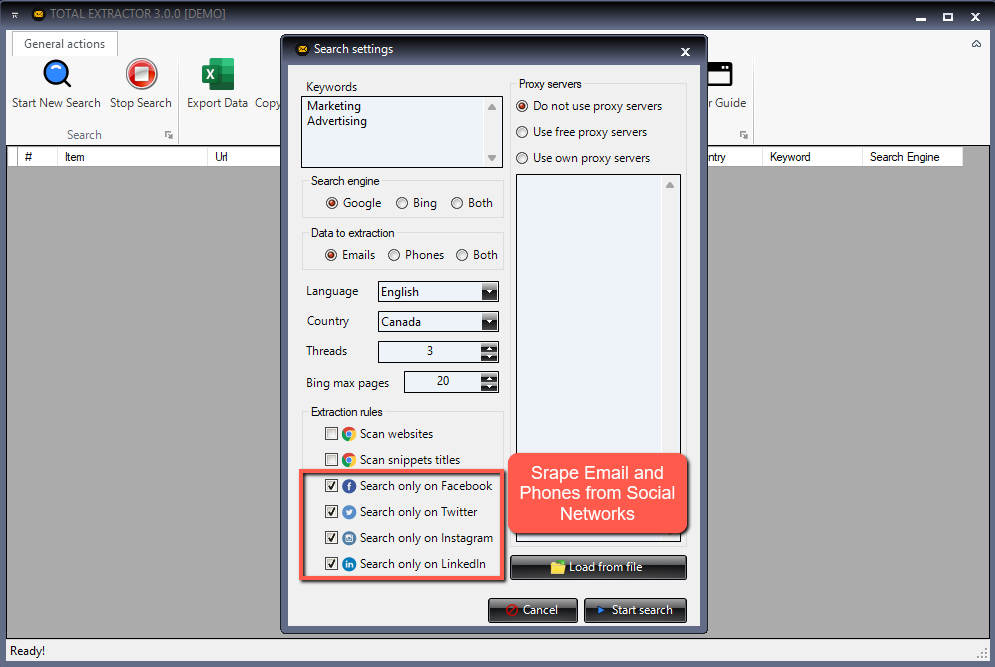
STEP 2. Perform your search
Enter the search parameters:
- Keyword (e.g. “Consultant”, “IT Manager”, “Marketing Manager”)
- Location (optional)
- Social Network
- Country (for LinkedIn)
- Search engine (Google, Bing or Yahoo)
Once configured, click SUBMIT.
---
STEP 3. Capture data
After submitting, the search results will open in your selected search engine. Click CAPTURE DATA to start extracting information.
---
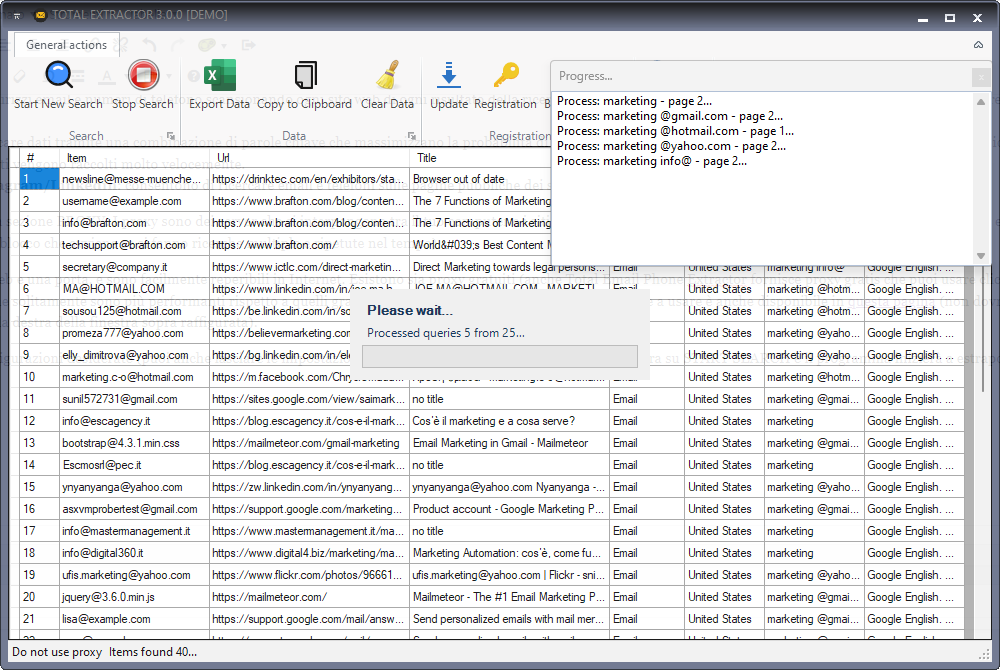
STEP 4. Extract email addresses
The software will automatically scan profiles and extract all available data, including public email addresses.
Common email domains include:
- @gmail.com
- @yahoo.com
- @hotmail.com
Once the process is complete, you can export all data into a CSV or Excel file.
---
Practical use cases
The extracted contacts can be used for:
- Email marketing campaigns
- B2B lead generation
- Service promotion
- Product sales
- Business networking
---
Note: The demo version extracts only the first 35 results and the export function is disabled.
If you are satisfied with the demo, you can purchase the full version:
The license is valid for 1 year and will be delivered directly via email.
---
---
Do you also want to extract phone numbers?
If you want to extract phone numbers or WhatsApp contacts as well, try Social Phone Extractor.