
Skip to content


The original version of Social Phone Extractor is available for free download on this page.

Below we describe a new (more advanced) version of Social Phone Extractor called Total Email Extractor.

Social Phone Extractor is a powerful and innovative program able to search and scan the pages of profiles, posts and articles indexed in Google / Bing / Yahoo and related to the most important social networks such as Linkedin, Facebook, Twitter and Instagram to then capture and extrapolate telephone numbers (of companies, professionals and individuals).

This Social Phone Number Extractor is really simple to use, just enter some keywords, perform the search and finally start extracting the information. In order to search and capture data and valid phone numbers here are some filters you can apply: country, city, category / job title, company name, and any other keywords.

Below is a detailed step-by-step guide that will show you how to extract phone numbers & whatsapp numbers with this “Social Scraper”.

First download and install Social Phone Extractor on your WINDOWS PC

Latest version: 6.0.0

STEP 1. Run Social Phone Extractor

Download and install the software Social Phone Extractor on your PC. Then run it and you will see this home:
STEP 2. Enter Keywords

Enter the keywords:
> The first field is that of the KEYWORD (eg search for “Consultants” or “Web Designer” or “Hotels” and so on).
> The second field (optional) is the LOCATION (for example, you can enter a city or region)
> The third field is the Social Network to scrape (facebook, linkedin, twitter, instagram or the entire Web)
> The fourth field is the COUNTRY  (Italy, Germany, France, USA, UK….): you can search for phone numbers from ALL OVER THE WORLD!
> The next field is the search engine (Bing, Google or Yahoo) to use to search all profiles from which you want to get phone numbers and whatsapp accounts.
> The last filed is the “Whatsapp filter“: you can search for “Whatsapp” phone numbers only to use for Whatsapp Bulk Message marketing

After entering the desired parameters click on SUBMIT
STEP 3. GET DATA

After you click on SUBMIT you will see the search results in GOOGLE. Now, to start the capture of all phone numbers simply click on GET DATA button as shown in the following screenshot:
STEP 4. Extract phone numbers

The program will automatically extract the phone numbers of Facebook/Linkedin/Twitter and Instagram members with relative details. All captured phone numbers are 100% valid.

At the end of the capture you can select all the results (clicking on SELECT ALL) and click EXPORT to save everything in a CSV or EXCEL file. By default the CSV format is set but you can change it by accessing SETTINGS:


Note: With the demo version the program will only extrapolate the first 35 results. In addition, the Export function is disabled.

If you like the demo version of the program, you can request the full version clicking on the BUY NOW button below. You will receive a 1 Year license for the FULL version (you can extract unlimited emails during the year)

Social Phone Extractor is a powerful and innovative program able to search and capture profile pages, posts and articles present on the most important social networks such as Linkedin, Facebook, Twitter and Instagram and then capturing and extrapolating telephone numbers (of companies, professionals and individuals) . The search takes place at 360° within the pages of the various social networks and within the posts created by users.

In order to capture a large number of phone numbers (landlines, cell phones and Whatsapp numbers), the program provides several filters: for example, you can search for numbers by choosing the preferred search engine (Google, Bing, Yahoo) , or select different keywords and / or activate the Whatsapp filter. All extracted telephone numbers are 100% valid and with the international prefix included (e.g +1 for U.S so as not to confuse with international numbers). After capture, you can save the list of numbers on your computer to an excel, txt or csv file.

TOTAL SOCIAL PHONE EXTRACTOR FULL VERSION:

Social Email Extractor is a new program designed to extracts email from Twitter and Instagram Profiles page. This powerful “Instagram & Twitter email extractor” is able to capture all “public” email from social network (facebook and linkedin included). You can search by any category or keyword like personal trainer, restaurants, fashion blogger, or hotels and in any location, city, state or country. The program automatically will get all email addresses (of companies and/or individuals) from Instagram and Twitter profiles.

Firstly download and install Social Email Extractor on your WINDOWS PC:

Step 1. Install the software on your computer. Run it and you’ll see this window:

Step 2. Add keywords and other search parameters

From the main screen of the program you have to fill in the following fields:

> The first field is that of the Keyword or Category (eg search for “Sport” or “Cinema” or “Fashion blogger” and so on).
> The second field (optional) is the LOCATION (for example, you can enter a city or region)
> The third field is the social network to scrape (here you have to select TWITTER or INSTAGRAM as shown in the figure below). This scraper is able to capture data also from Linkedin and Facebook.
> The fourth field is the search engine (Bing, Google or Yahoo) to use to search all Twitter and Instagram profiles from which you can extract public email addresses.
> The last filed is the “email address type“: you can search for “private” email with domain @gmail.com/@yahoo.com/@hotmail.com or “business” email.

After filling in all the fields you have to click on SUBMIT

Step 3. Get email addresses from Instagram and Twitter

After clicked on SUBMIT you will see the search results in BING (or Google or Yahoo). Now, to start the capture all email addresses from Twitter/Instagram profiles, simply click on GET DATA button as shown in the following image:

Step 4. Save email addresses

The program will automatically extract the email address from the twitter/instagram pages. The percentage of email addresses is very high and they are all 100% valid emails like @gmail.com, @yahoo.com and @hotmail.com.

Once finished you can click EXPORT to save all emails in a CSV or EXCEL file. By default the CSV format is set but you can change it by accessing SETTINGS:

Note: With the demo version the program will only extrapolate the first 35 results. In addition, the Export function is disabled.

If you like the demo version of the program, you can request the full version clicking on the BUY NOW in the program. You will receive a 1 Year license for the FULL version (you can extract unlimited emails during the year)

If you want to extract also phone numbers and WhatsApp numbers from Twitter or Instagram, try Social Phone Extractor.

Social Email Extractor and Social Phone Extractor are two software designed to generate leads.

The original version of Social Email Extractor is available on this page.

Below we report a new and more advanced version of the program. This new version of Social Email Extractor is called TOTAL EXTRACTOR.

Total Email Extractor is a powerful and innovative program able to search and scan public pages on the most important social networks like Linkedin, Facebook, Twitter and Instagram (that are indexed in the main Search Engine like Google/Bing/Yahoo) and then scrape and extract email addresses (of companies, professionals and individuals).

It is also possible to choose the search engine to use to get the best results by selecting one among Google, Bing and Yahoo. All captured emails are 100% valid and with extension @gmail.com, @hotmail.com and @yahoo.com.

It is also possible to search for business email (like [email protected]). After the search you can get and save them on your computer in an excel, txt or csv file.

Download the free trial version from the following button or purchase the full version (license valid for 1 Year) to capture data without limitations.


[How to Use] Social Email Extractor

#1. How to extract email from Linkedin

#2. How to extract email from Facebook

#3. How to scrape email from Twitter & Instagram

[How to Use] Social Phone Extractor

#1. How to extract phone and whatsapp numbers from Internet 


Video Tutorial

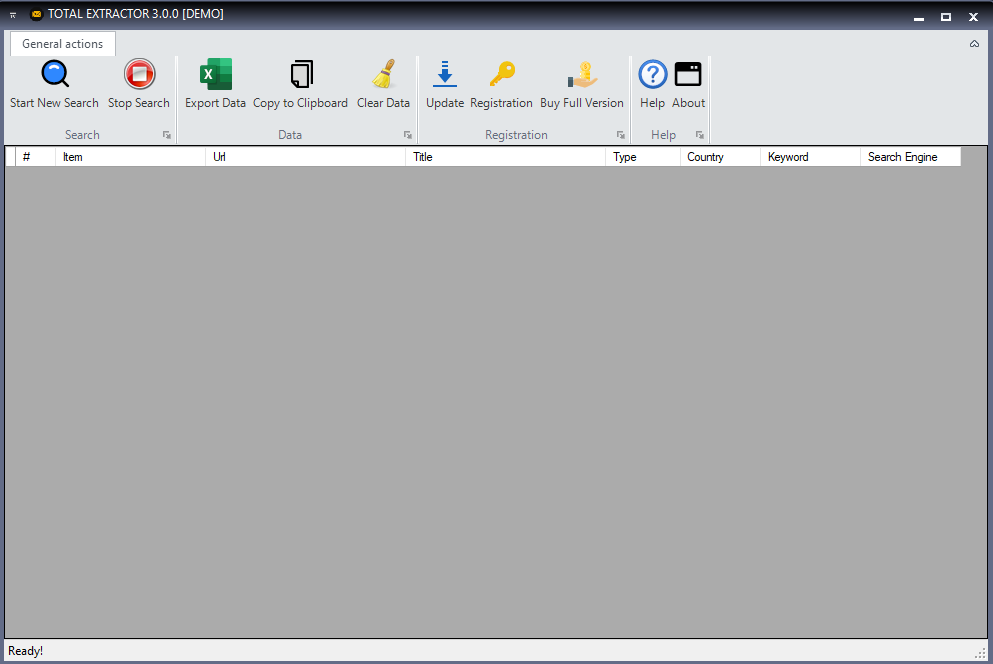
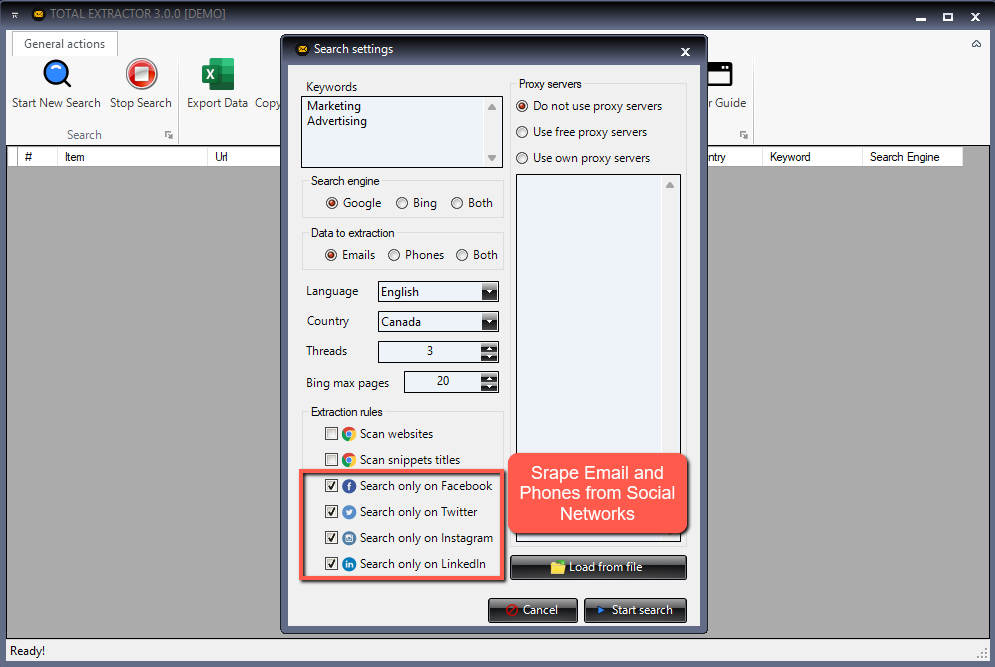
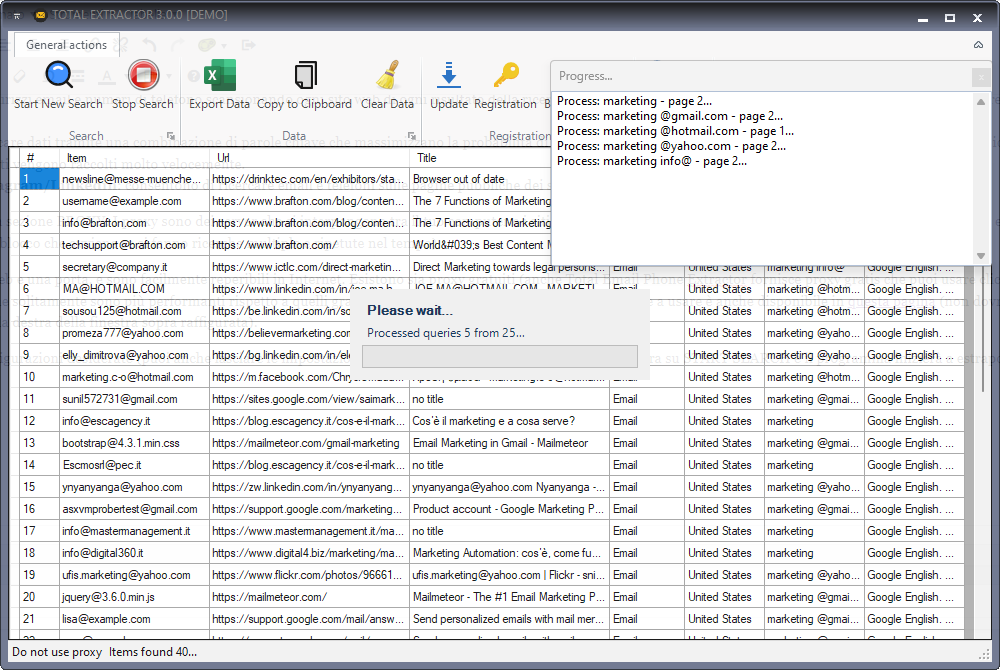
Screenshot Social Email Extractor:

Data Collection and Processing

The software developed by YpSpider extracts publicly available data, including email addresses, directly from web pages on users' local devices. It is important to note that:

  • Local Software: The software operates entirely locally on the user’s computer and does not use cloud platforms for data processing or storage.
  • Local Data: All extracted data is stored exclusively on the end user’s device. It is not collected, transferred, or saved to external servers or in the cloud.
  • Public Data: The data extracted from web pages is publicly accessible information on the internet, available in plain view to anyone. No protected or unauthorized data is processed.
  • Data from Personal Accounts: For software that extracts data from personal email accounts or social media accounts, the data remains solely on the end user’s device. It is not transferred, saved to external servers, nor collected or used by third parties.
  • No Data Collection on Our End: We do not have access to the data extracted by the user, and we do not store, collect, or use this information in any way.
  • Personal Use: The extracted data is for the exclusive use of the end user, who has full control over how it is managed and used.

Purpose of Data Processing

The software is intended exclusively for personal use, such as managing information extracted from public sources or from personal accounts, in compliance with applicable regulations. Any use of the extracted data is at the discretion of the end user and is under their sole responsibility.

User Rights

Users have the right to access, modify, and delete the data extracted by the software at any time, without any intervention on our part. Users maintain full control over the data on their device.

Disclaimer

The use of the software must comply with data protection laws, including the GDPR (General Data Protection Regulation) and the CCPA (California Consumer Privacy Act). YpSpider  is not responsible for any illegal or improper use of the software by users, such as unauthorized email sending or other activities that do not comply with applicable regulations. It is the user’s responsibility to ensure that the use of the software complies with all applicable laws and regulations.

Data Security

The software is designed to operate securely locally on the user’s device and does not introduce vulnerabilities or risks of exposure to personal data. It does not use connections to external servers nor transfer data to third parties.

Consent and Transparency

By using the software, the user expressly agrees to the terms described here and acknowledges that the data processing takes place exclusively on their own device and under their responsibility. No data is collected or processed by YpSpider .

Cookie Policy

If YpSpider ’s website uses cookies to track visits or for other purposes, these will be used in compliance with the applicable regulations. Users will be informed and, if required, can provide their consent to the use of cookies.

Privacy Policy Updates

We reserve the right to modify this privacy policy at any time. Changes will be communicated to users through our website. Users are advised to periodically review this section to check for any updates.

CCPA Compliance (California Consumer Privacy Act)

In compliance with the CCPA, users residing in California have the following rights:

  • The right to know what personal data is collected and how it is used.
  • The right to request the deletion of their personal data, if applicable.
  • The right not to be discriminated against for exercising these rights.

Since YpSpider does not directly collect personal data, these rights apply exclusively to any interactions with our website or related services.

Copyright and Intellectual Property

The content on this site, including text, images, logos, and screenshots of third-party websites, is protected by copyright and intellectual property laws. All registered trademarks and logos shown belong to their respective owners.

This site may mention third-party websites and display screenshots of such sites along with their logos. These are used solely for informational purposes and to facilitate access to useful resources. We have no control over these sites and assume no responsibility for their content or the use made of it.

If you are the owner of a trademark or content displayed on our site and wish to discuss copyright-related issues, we invite you to contact us.


REFUND POLICY

All software on YpSpider is offered in a Trial/Free Trial version, allowing you to test the functionality and evaluate the quality of our product before purchasing a license.

This is why at YpSpider, WE DO NOT OFFER REFUNDS. No refunds will be granted except in the following circumstances.

Accepted Circumstances

YpSpider offers refunds under the following circumstances according to its money-back guarantee guidelines:

  • Purchase of a "wrong product." In this case, we will assist you in purchasing the correct product from our website.
  • Duplicate purchase of the same product. In this case, YpSpider will refund one of the products or swap a program with another product available in our catalog.

By accessing this website, you agree to these terms and conditions. YpSpider reserves the right to take legal action for any violation of these terms and conditions.

All rights not expressly granted are reserved.

There are inherent risks in using any Software available for download on the Internet, and YpSpider wants to remind you to ensure that you fully understand all risks before downloading any Software (including, but not limited to, the potential infection of your system with computer viruses and data loss). You are solely responsible for adequate protection and backup of data and equipment used in connection with any software.