
Once extracted, the data can be saved in an Excel or CSV file, making it easy to organize the information and use only the details you really need. For example, if you want to launch an email marketing campaign, you can filter only the email addresses and use them to contact managers of hotels, guesthouses, B&Bs, residences, farm stays and motels.
Download the free demo
Try the free demo version of Yellow Leads Extractor now and see how the software works in just a few minutes.

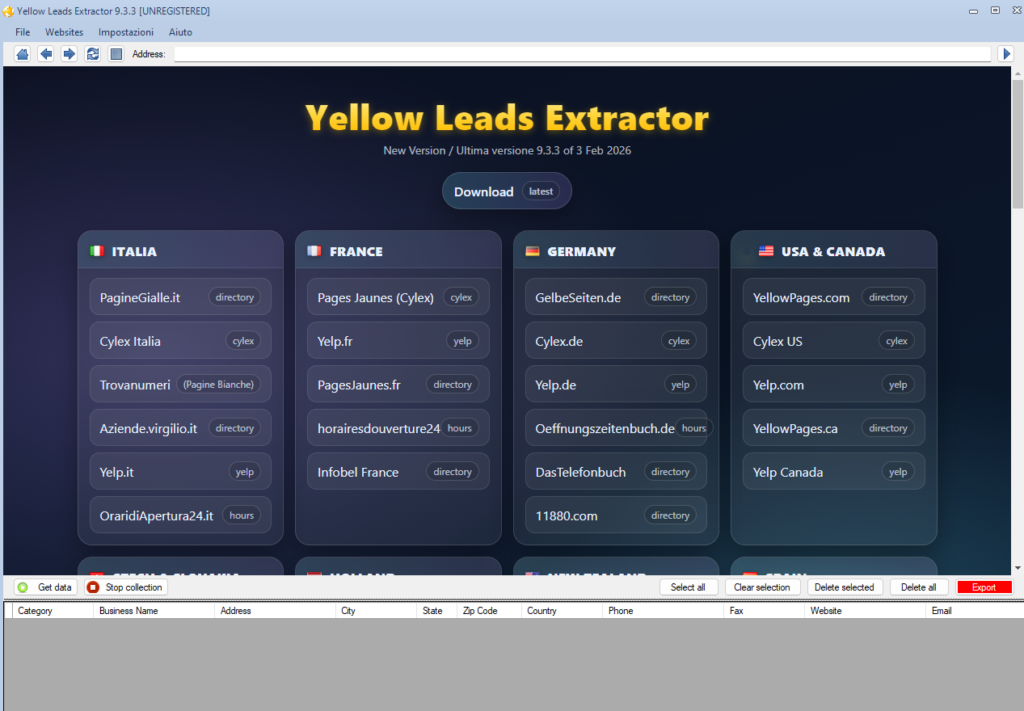
Main software screen
After installation, this is the main screen of the program:
How to extract hotel and accommodation data in 3 simple steps
1. Select the source and set up the search
Select the source, for example Yellowpages.com or Yelp.com, then enter the business category you want to search for, for example “HOTEL”, and the location. If you leave the location field empty, the search will be performed nationwide.
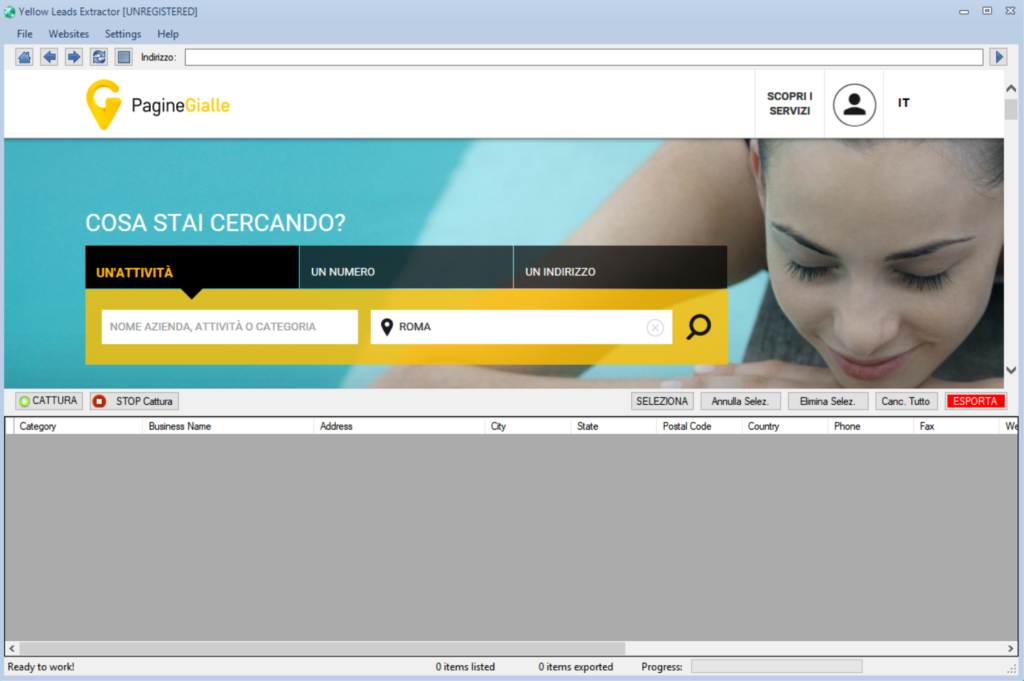
2. Start the search
Click the search button and wait for the results page to load automatically.
3. Click “Capture” to extract the data
Click the Capture button at the top and the software will automatically start collecting all available data. The extracted results will be displayed in the lower part of the window.
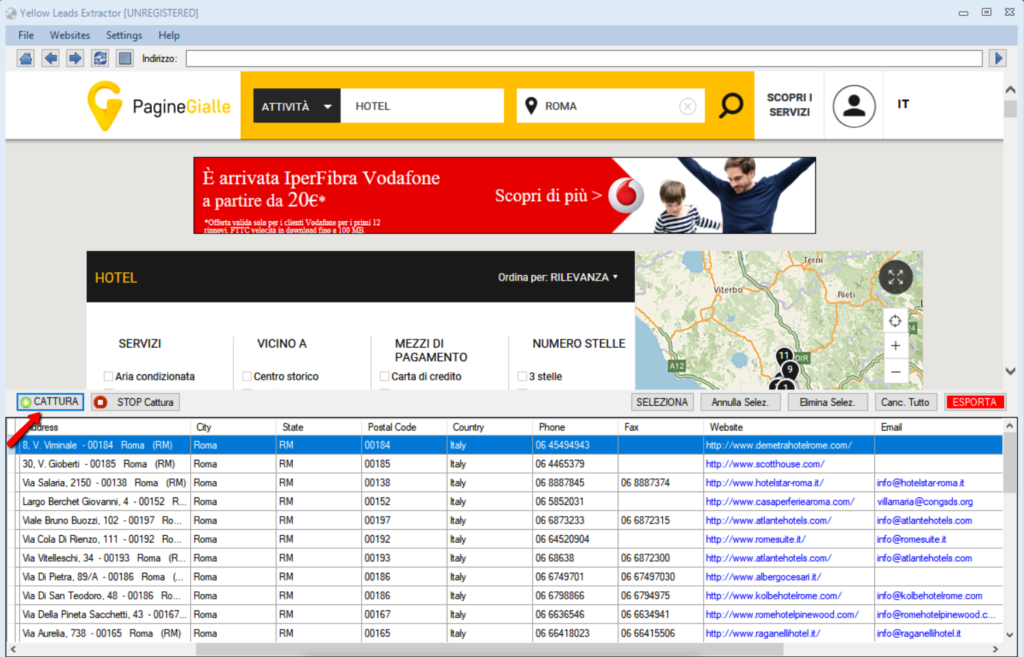
Note: the demo version allows extraction of the first 35 results, and the export function is disabled. To remove these limitations, you need to purchase the full version of the software.
Recommended keywords to find hotels and accommodation businesses
For a more precise search, you can specify an exact location or use one of the following keywords, which are among the most commonly used in the hotel and hospitality sector:
guesthouse, motel, b&b, residence, furnished apartments, hotels, hotel, residence with restaurant, bed breakfast, farm stay, bed & breakfast, motels, hostels, inns, restaurants